
Download ClickZap – Free Right Click Enhancer for Windows & Mac
Revolutionize Your Mouse with ClickZap – A Smart Right-Click Upgrade
Imagine unlocking a hidden layer of mouse power with just a double right-click. While most users are familiar with left-click actions, right-click menus, and even double-left clicks, one gesture remains underutilized: the double right click. Enter ClickZap, a minimalist yet powerful tool designed to bring new life to your mouse’s untapped potential. This free software allows you to assign custom actions to the double right-click gesture, transforming a rarely used input into a productivity booster.
ClickZap is built for simplicity and efficiency. Once installed, it runs silently in the background without cluttering your system tray—no annoying icons, no distractions. Instead, it places a convenient desktop shortcut that lets you access its settings instantly. This clean design philosophy makes it ideal for both beginners and advanced users who value performance and minimalism. Whether you're a student, professional, or casual user, ClickZap helps you streamline repetitive tasks with just a quick double right-click.
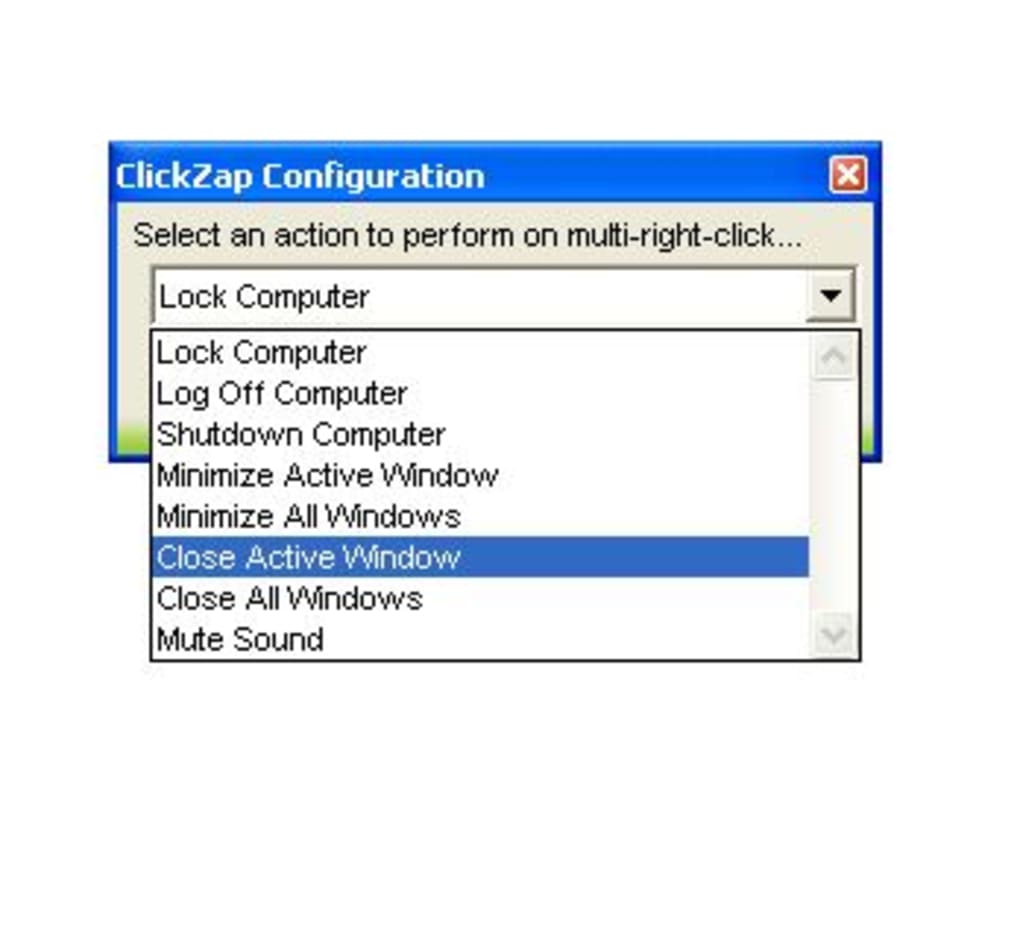
From locking your computer with a single gesture to shutting down your PC, muting audio, or minimizing all open windows, ClickZap offers a range of practical actions. It’s especially useful for multitaskers who juggle multiple applications and need quick access to system controls. The tool is lightweight, secure, and requires no complex configuration—just select your preferred action and you're ready to go. With ClickZap, your mouse becomes more than just a pointing device; it evolves into a personalized productivity assistant.
Key Features That Make ClickZap Stand Out
- Double Right-Click Customization – Assign any action to a double right-click, unlocking a new dimension of mouse interaction.
- Lightweight & Background Operation – Runs silently without consuming system resources or displaying icons in the taskbar.
- Easy Desktop Shortcut – Access settings instantly via a desktop link—no need to dig through menus.
- Multiple System Actions – Lock computer, mute sound, shut down, restart, end session, minimize all windows, and more.
- Free & Secure – No ads, no bloatware, and no hidden tracking. Fully safe to download and use.
- Universal Compatibility – Works seamlessly on Windows and Mac systems.
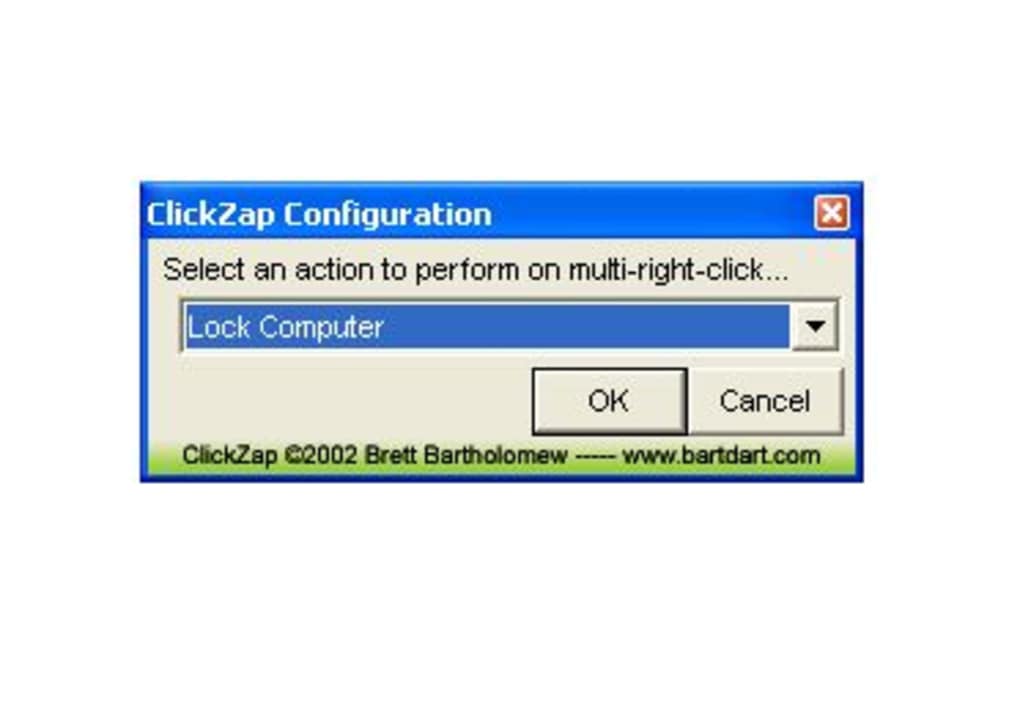
One of the standout features of ClickZap is its focus on user experience. Unlike many similar tools that overwhelm users with complex interfaces, ClickZap keeps things simple. The configuration panel is clean and intuitive, allowing you to choose from a predefined list of actions. There’s no need to write scripts or tweak registry settings—everything is done with a few clicks. This makes it perfect for users who want to enhance their workflow without diving into technical details.
Another major advantage is its low impact on system performance. ClickZap uses minimal CPU and memory, ensuring it won’t slow down your computer even during intensive tasks. It’s also designed with security in mind, avoiding third-party dependencies and unnecessary permissions. The software is regularly updated to ensure compatibility with new operating system versions and to fix any bugs.
How to Install and Use ClickZap on Windows and Mac
Installing ClickZap is quick and straightforward. Start by downloading the latest version from the official website. The file is small in size (under 5MB), ensuring fast download times even on slow connections. Once downloaded, simply run the installer and follow the on-screen instructions. The setup process takes less than a minute and doesn’t require admin rights in most cases.
After installation, ClickZap runs automatically in the background. You’ll notice a new shortcut on your desktop named “ClickZap Settings.” Double-click this shortcut to open the configuration window. Here, you’ll find a clean list of available actions. Simply select the one you want to assign to the double right-click gesture—such as “Lock Computer” or “Mute Sound”—and save your choice.
That’s it! From now on, whenever you double-click the right mouse button, the selected action will trigger instantly. You can change the assigned function at any time by reopening the settings. No restarts, no reinstallation—just real-time updates. The tool is also compatible with external mice and trackpads, making it a versatile addition to any setup.
For Mac users, ClickZap supports both Intel and Apple Silicon (M1/M2) chips. The interface is fully localized and integrates smoothly with macOS Mojave and later. On Windows, it works with Windows 10, 11, and even older versions like 7 and 8.1. The software doesn’t interfere with other mouse utilities, so you can use it alongside tools like X-Mouse Button Control or AutoHotkey.
Compatibility and System Requirements
ClickZap is designed to be accessible to a wide range of users. It supports both Windows and Mac operating systems, making it a cross-platform solution for desktop power users. On Windows, it’s compatible with Windows 7, 8, 8.1, 10, and 11—covering nearly all modern desktops and laptops. For Mac users, ClickZap runs on macOS Mojave (10.14) and later, including the latest Sonoma release.
The system requirements are extremely low. You’ll need at least 512MB of RAM and 10MB of free disk space—resources that almost every modern computer has. The software doesn’t require .NET Framework or Java, which means it installs cleanly without additional dependencies. It’s also safe to use on work or school computers, as it doesn’t modify system files or inject drivers.
Whether you're using a standard USB mouse, a gaming mouse, or a trackpad, ClickZap detects the input device and registers the double right-click gesture accurately. It’s particularly useful for users with limited keyboard shortcuts or those who prefer mouse-based navigation. The tool is ideal for remote workers, content creators, developers, and anyone looking to reduce mouse clicks and boost efficiency.
Pros and Cons: Is ClickZap Worth It?
Pros
- Free to download and use with no hidden costs
- Extremely lightweight and fast
- Runs silently in the background
- Simple, intuitive interface
- Supports both Windows and Mac
- Safe, secure, and free of malware
- Quick setup with no technical knowledge needed
Cons
- Limited to double right-click—no support for other gestures
- No built-in logging or advanced customization
- Only available in English (no language localization)
- Desktop shortcut is required for settings access
- Not available for Android or iOS devices
Frequently Asked Questions (FAQ)
Final Verdict: A Smart Upgrade for Your Mouse
ClickZap may seem like a small tool, but its impact on daily productivity is significant. By giving you the ability to assign powerful actions to the double right-click, it turns an overlooked gesture into a game-changer. Whether you're locking your screen, muting audio, or shutting down your PC, you can do it faster and with fewer steps.
Its simplicity, reliability, and cross-platform support make it a standout choice among mouse enhancement tools. While it doesn’t offer advanced scripting or gesture mapping, it excels in its core purpose: delivering a clean, secure, and effective way to boost efficiency.
If you're looking for a free, lightweight, and secure way to enhance your mouse experience, ClickZap is a must-try. Download it today and unlock the full potential of your right-click.
Download ClickZap now and transform your mouse into a productivity powerhouse.







